
Many people buy a GL.iNet router because it is small, fast, and easy to use. It is great for home internet, travel, and remote work. One question many beginners ask is, Can you replace a modem in a GL.iNet router?
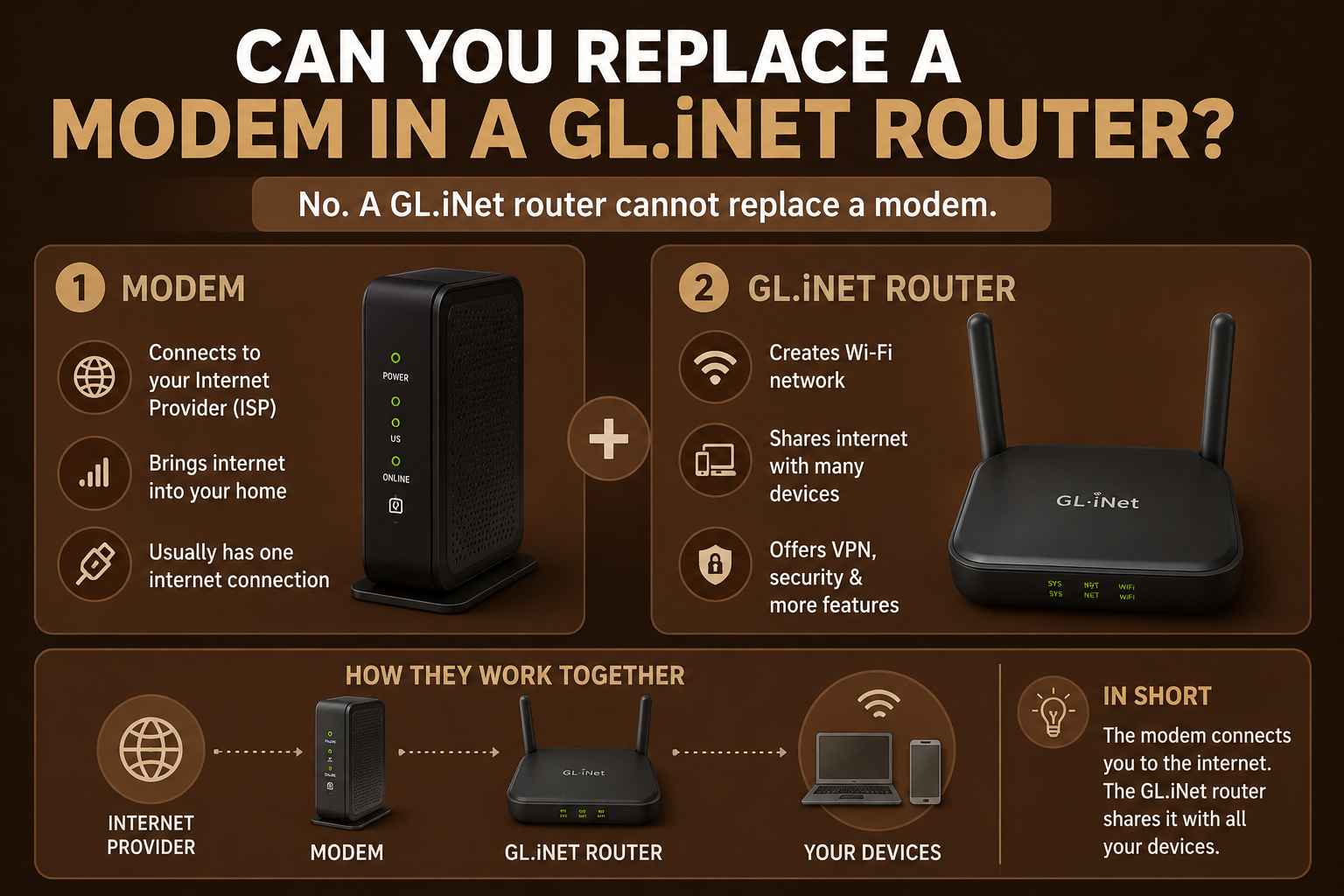
The simple answer is No. A GL iNet router cannot replace a modem because both devices have different jobs.
What Is a Modem?
A modem connects your home to your internet service provider (ISP). It receives the internet signal and brings it into your home. Without a modem, most cable and DSL internet connections will not work.
What Is a GL.iNet Router?
A GLiNet router shares the internet with your devices. It creates a Wi-Fi network so your phone, laptop, tablet, smart TV, and other devices can connect to the internet.
The router does not connect directly to the cable or DSL line. Instead, it receives internet from a modem or an ONT.
Can a GLiNet Router Replace a Modem?
No. A GL.iNet router cannot replace a modem because it does not have modem hardware inside it.
If your ISP requires a modem, you must continue using that modem. The modem connects to your ISP, and the GL.iNet router connects to the modem.
How Do You Connect a GL.iNet Router?
The setup is simple.
- Connect your modem or ONT to the WAN port of the GL.iNet router.
- Turn on both devices.
- Open the GLiNet router settings.
- Complete the setup.
- Connect your devices to the new Wi-Fi network.
What If You Have Fiber Internet?
If you have fiber internet, your ISP may install an ONT instead of a modem.
The ONT changes the fiber signal into an Ethernet connection. In this case, you can connect your GLiNet router directly to the ONT.
Can You Replace Your ISP Router?
Yes, in many cases.
Many internet providers give customers a modem-router combo. If your ISP allows Bridge Mode, you can disable the router function and use your GLiNet router instead.
This gives you better Wi-Fi, more settings, and better VPN support.
Why Do People Choose GL.iNet Routers?
GLiNet routers are popular because they offer many useful features.
- Easy to set up
- Fast Wi-Fi
- VPN support
- Strong security
- OpenWrt software
- Small and portable
- Regular updates
These features make them a good choice for home users and travelers.
When Do You Still Need a Modem?
You still need a modem if your internet connection uses:
- Cable internet
- DSL internet
- Some broadband services
Without the modem, the GLiNet router cannot connect to your ISP.
Can You Use a GL.iNet Router Without a Modem?
Yes, but only if your ISP provides an Ethernet connection, such as through a fiber ONT or a building network.
If your ISP uses cable or DSL, you must keep the modem.
Benefits of Using a GLiNet Router
Using a GLiNet router gives you several advantages.
- Better Wi-Fi coverage
- Secure VPN connections
- More control over your network
- Easy management
- Reliable performance
- Great for travel and home use
Common Mistakes to Avoid
Many people make these mistakes when setting up a GL.iNet router.
- Removing the modem when it is still required.
- Connecting the Ethernet cable to the wrong port.
- Forgetting to restart the modem after changing routers.
- Not checking whether the ISP requires Bridge Mode.
Avoiding these mistakes will make the setup much easier.
Final Thoughts
A GL.iNet router cannot replace a modem because they perform different tasks. The modem connects your home to your internet provider, while the router shares that internet with all your devices.
If your ISP requires a modem, keep using it and connect your GL.iNet router to it. If you have fiber internet with an ONT, you can connect the router directly to the ONT. This setup provides fast, secure, and reliable internet for your home or office.
Frequently Asked Questions
Can I use a GL.iNet router without a modem?
Yes, but only if your ISP provides an Ethernet connection, such as from an ONT.
Does a GL.iNet router have a built-in modem?
No. GL.iNet routers do not include a built-in cable or DSL modem.
Can I replace my ISP router with a GL.iNet router?
Yes. In many cases, you can use your GL.iNet router as your main router while keeping the modem or ONT.
Is a GL.iNet router good for home internet?
Yes. It offers secure Wi-Fi, VPN support, and reliable performance for home, office, and travel use.